
No, you cannot use Google in China on a normal Chinese connection. Google Search, Gmail, Google Maps, YouTube, Google Docs, and the Play Store are all blocked by the "Great Firewall," and have been since 2014. Connect to airport Wi-Fi or a local SIM card and every Google page simply times out.
But that is not the end of the story. Millions of tourists and business travelers reach Gmail and Google Maps in China every week without any drama. The trick is deciding how you connect before you fly, not after you land.
Here is the part most guides bury: the single easiest fix is not a VPN at all. A travel eSIM routes your data through Hong Kong or Singapore before it touches China’s network, so Google just works, no app to configure. This guide walks through every option, what it costs, and what changed after the April 2026 VPN crackdown.
Key Takeaways
- Google is fully blocked on Chinese Wi-Fi and local SIM cards; this includes Gmail, Maps, YouTube, and Docs.
- An international roaming eSIM (routed via Hong Kong/Singapore) reaches Google with no VPN and no setup once you land.
- After the April 2026 server crackdown, only VPNs with TLS-based obfuscation connect reliably; free VPNs mostly fail.
- As of 2026, no foreign tourist has been fined for using a VPN, though it sits in a legal gray zone.
- Apple Maps works in China without a VPN and shows an English interface using local Autonavi data.
Is Google blocked in China? The short answer
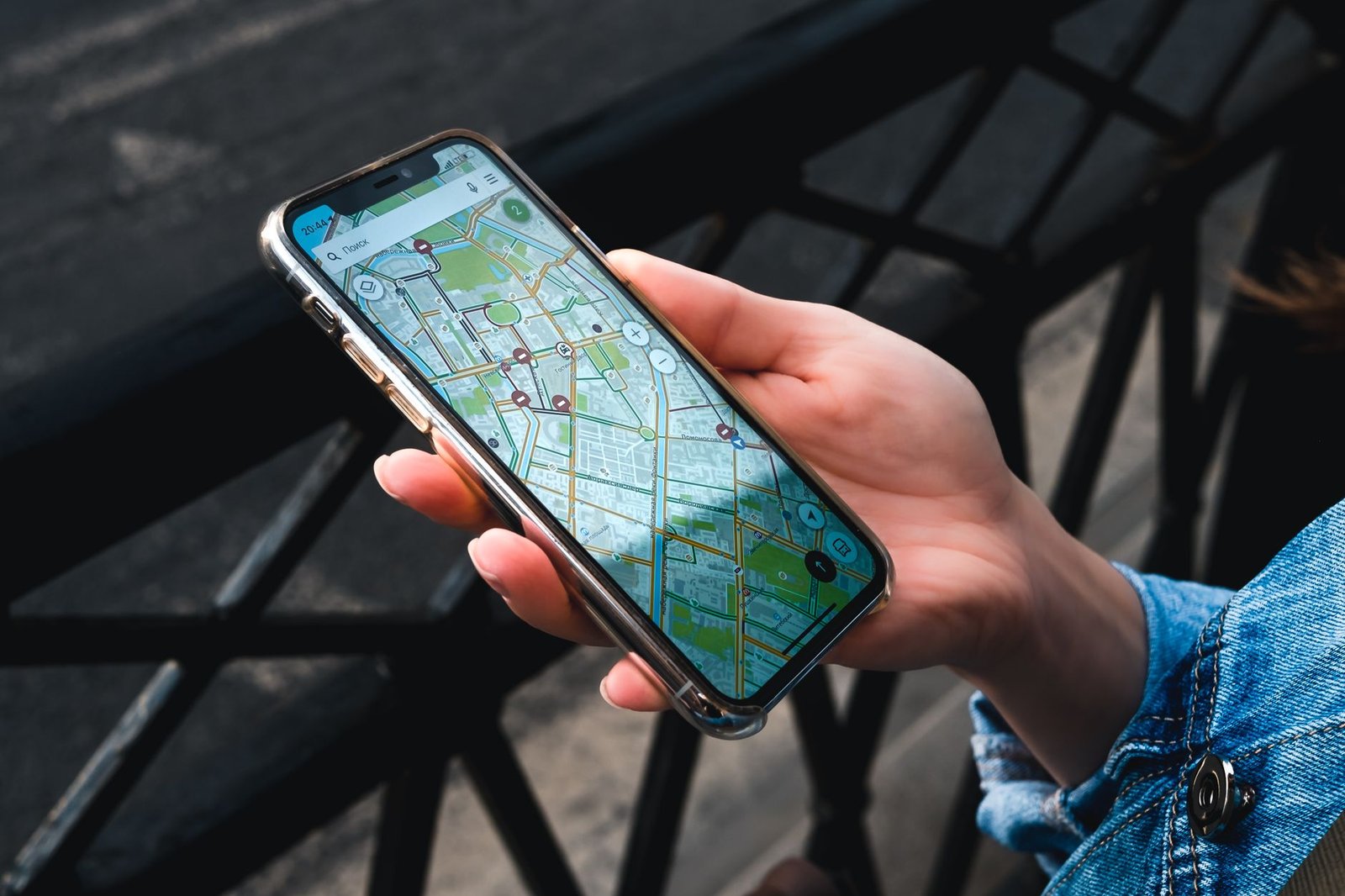
Yes. China’s Great Firewall filters all traffic inside the country’s domestic network, and Google has been on the block list since June 2014. There is no "Google China" you can quietly switch to.
The block is total. It covers google.com, gmail.com, Google Maps, YouTube, Google Drive, Google Photos, Google Calendar, and the Android Play Store. Even apps that quietly ping Google servers in the background, like some fitness trackers or ride apps, can stall.
Marco, a software engineer from Milan, learned this at Shanghai Pudong airport. His phone showed full 5G bars on the free Wi-Fi, but Gmail spun forever and Google Maps showed a blank gray grid. Nothing was broken. He just had no plan.
The good news: the workaround is simple once you understand why Google fails. The firewall only inspects traffic that runs through China’s local internet. Route your data outside China first, and Google loads like it does back home.
The easiest fix: a roaming eSIM (no VPN needed)
This is the option most travel sites skip past, and it is the one we recommend for first-timers. A travel eSIM is a digital SIM you install from an app before your trip.
Here is why it beats a VPN for reaching Google in China. Your phone still connects to a Chinese cell tower for signal, but your actual data gets carried through an international gateway, usually Hong Kong or Singapore, before it ever hits the mainland network. The Great Firewall never sees it. Google, Gmail, WhatsApp, and Instagram all load normally.
You do not need to choose one that advertises a "built-in VPN." That is a marketing label. Every travel eSIM that uses international roaming bypasses the firewall the same way.
Priya, a graphic designer from Toronto, installed a China eSIM the night before her flight. She landed in Chengdu, turned off her home SIM, and Gmail was already loading in the taxi. She never touched a VPN the whole trip.
One rule matters most: install and activate the eSIM before you enter mainland China. Many eSIM providers’ activation pages are themselves harder to reach once you are behind the firewall.
The VPN route: what changed in 2026
A VPN (Virtual Private Network) reroutes your phone or laptop’s traffic through a server abroad, so Google thinks you are browsing from London or Tokyo. For years this was the default advice for China.
It still works, but 2026 made it harder. In April 2026, authorities went beyond blocking VPN websites and started pulling the plug on the actual relay servers many VPN services used inside China. Overnight, a lot of previously reliable apps stopped connecting.
What survived? Only VPNs with TLS-based obfuscation, technology that disguises your VPN traffic so it looks like ordinary encrypted web browsing. Free VPNs and older protocols mostly fail now.
Two non-negotiable rules for the VPN route:
- Download and install it before you fly. VPN provider websites are blocked inside China, so you cannot download one after you arrive.
- Install at least two. If one gets throttled during a sensitive week, you have a backup ready.
Roaming eSIM vs VPN vs local SIM: a quick comparison
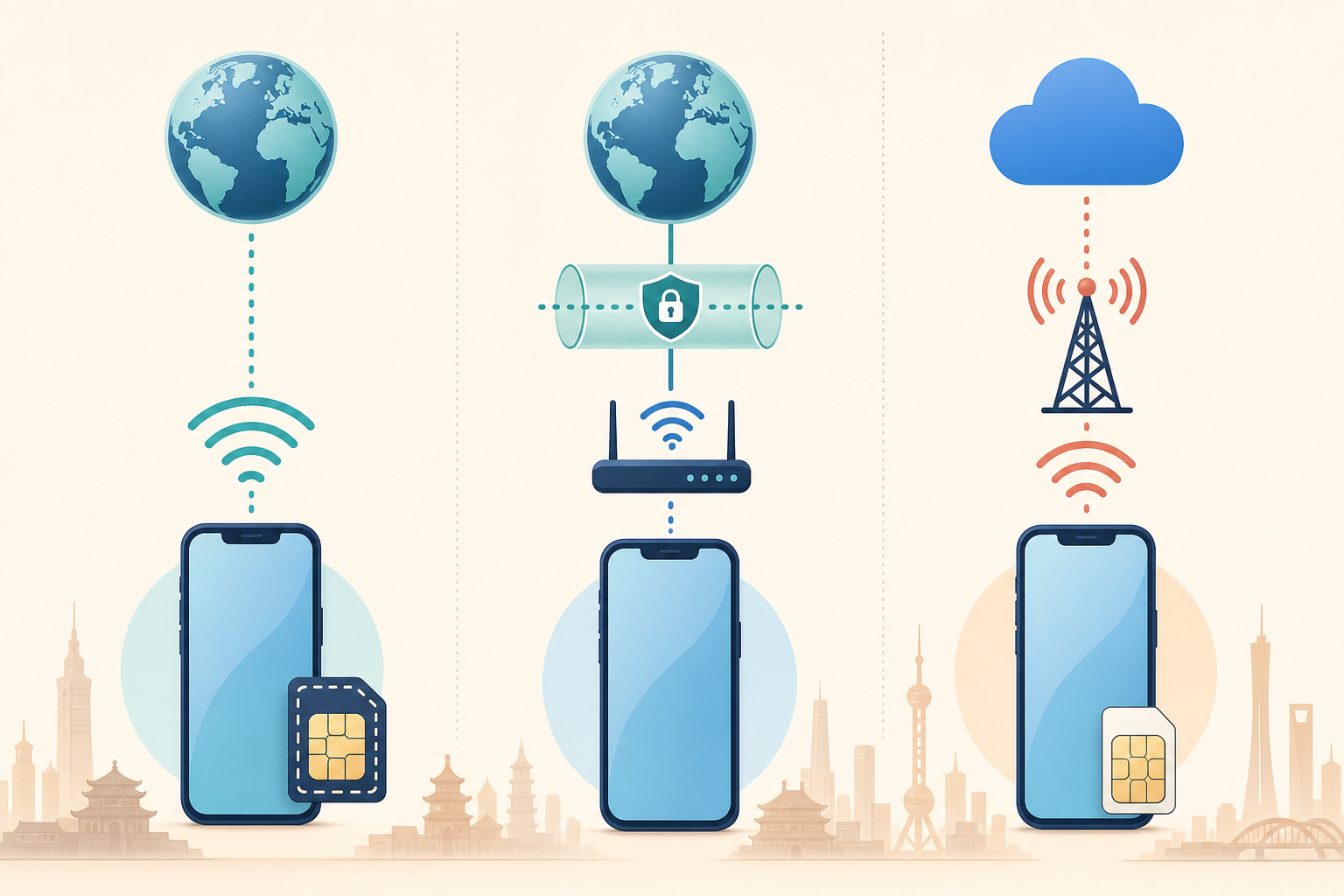
Here is how the main ways to reach Google in China stack up for a typical traveler.
| Method | Reaches Google? | Setup before arrival | Rough cost (7-10 days) | Best for |
|---|---|---|---|---|
| International roaming eSIM | Yes, automatic | Install + activate app | US$10-25 | Most tourists; simplest option |
| Premium VPN (with obfuscation) | Usually, but variable | Download 1-2 apps | US$3-13 / month | Laptops, heavy Google/work users |
| Home carrier roaming | Yes, routes abroad | Enable roaming | Often US$10-15/day | Short trips; pricey but effortless |
| Local Chinese SIM | No, Google blocked | Buy on arrival | US$15-30 | Domestic apps only; not Google |
| Chinese Wi-Fi alone | No, Google blocked | None | Free | Nothing Google-related |
Prices shift, so treat these as ballpark figures. The pattern to remember: anything that routes your data outside China first reaches Google; anything that keeps you on the local network does not.
Is using a VPN legal in China as a tourist?
This is the question that makes nervous first-timers hesitate, so let us be precise. Officially, only VPNs licensed by the Chinese government are legal, which means the consumer apps tourists use sit in a gray zone.
Now the reality. As of 2026, no foreign tourist has been publicly punished for using a VPN to check email or maps. Enforcement targets the companies that sell unauthorized VPNs, not individual travelers scrolling Instagram.
The theoretical risk exists on paper. Rules allow a fine of up to RMB 5,000 (about US$700) for accessing the international internet through an unauthorized channel, but this is aimed at commercial abuse, not tourists. In practice, the worst a casual user might face is being asked to delete an app.
One caveat worth flagging: a draft cybercrime law under discussion in 2026 could raise penalties in the future. It is not law yet, but it is why we lean toward the roaming eSIM route, which sidesteps the VPN question entirely. If you want to understand the wider rules on getting online, see our connectivity, eSIM and VPN guide.
Life without Google Maps: the alternatives that actually work
Google Maps is blocked, but navigation in China is genuinely easy once you know the local tools. Two of them need no VPN at all.
Apple Maps works in China straight out of the box, no VPN required. Apple licenses its Chinese map data from Autonavi (the company behind Amap), so you get accurate local data with an English interface. For iPhone users, it is the simplest choice in Beijing, Shanghai, Chengdu, and other major cities.
Amap (Gaode) is the go-to for Android users. It is a Chinese app with the most complete mainland data, and its English mode handles searches for hotels, attractions, transport hubs, and chain restaurants. It also powers navigation inside apps like Didi.
Baidu Maps has the deepest features but an almost entirely Chinese interface, so it is better for those who read some Chinese.
Here is how the map apps compare for an English-speaking visitor:
| Map app | Works without VPN | English interface | Best platform |
|---|---|---|---|
| Apple Maps | Yes | Full English | iPhone |
| Amap (Gaode) | Yes | English mode | Android and iPhone |
| Baidu Maps | Yes | Mostly Chinese | Advanced users |
| Google Maps | No (blocked) | English | Only via eSIM/VPN |
For getting between cities, maps are only half the job, you also need tickets. Our guide on how to book China high-speed train tickets walks through the whole process in English.
Gmail, YouTube and the rest: quick service-by-service notes
Not every Google service behaves the same way, so here is the practical rundown.
Gmail is fully blocked on local networks. A roaming eSIM or VPN fixes reading and sending. If email is business-critical, set up a backup address (Outlook works fine in China) before you fly.
YouTube is blocked. It streams fine over an eSIM or a solid VPN, but expect the odd buffering pause depending on your connection.
Google Docs and Drive are blocked. For work trips, download anything essential offline before you land, then rely on your eSIM or VPN for live editing.
Google Play Store is blocked, so download any travel apps, like your maps or payment apps, before arrival. Setting up mobile payments early also matters; see our Alipay guide for foreigners so you can pay from day one.
Frequently asked questions
Can you use Google in China without a VPN?
Yes, if you use an international roaming eSIM or your home carrier’s roaming. Both route your data outside China before it hits the Great Firewall, so Gmail, Search, and Maps load normally. A local Chinese SIM or Chinese Wi-Fi will not reach Google.
Is Gmail blocked in China in 2026?
Yes. Gmail is fully blocked on Chinese networks. You can still read and send email through a roaming eSIM or a VPN with obfuscation. As a safety net, set up a non-Google backup email such as Outlook before your trip, since it works without any workaround.
Will my VPN work in China after the 2026 crackdown?
Only if it uses TLS-based obfuscation, which disguises VPN traffic as normal browsing. Free and older-protocol VPNs mostly stopped working after the April 2026 server crackdown. Download at least two reputable paid VPNs before you arrive, because provider sites are blocked inside China.
Does Google Maps work in China?
No, Google Maps is blocked on local networks. The best alternatives need no VPN: Apple Maps works in English on iPhone using local data, and Amap (Gaode) offers an English mode on Android. Both are accurate in major cities and handle transit directions.
Is it illegal for tourists to use a VPN in China?
Unauthorized VPNs are officially restricted, but as of 2026 no foreign tourist has been publicly punished for using one. Enforcement targets VPN sellers, not individual travelers. The likely worst case for a casual user is being asked to delete the app, not a fine.
Do I need to set anything up before I fly to China?
Yes, this is the most important step. Install your eSIM or VPN, download your maps and payment apps, and set a backup email while you still have open internet. VPN sites, the Play Store, and many eSIM activation pages are hard or impossible to reach once you are behind the firewall.
Before you go: your Google-in-China checklist
Sort your connection at home and you will never stare at a frozen Gmail screen in a Chinese airport. Do these five things before you fly:
- Pick your method. A roaming eSIM is the simplest for most tourists; add a VPN with obfuscation if you work on a laptop.
- Install and activate before departure. Especially the eSIM and VPN apps, plus a backup VPN.
- Download your maps. Apple Maps or Amap for navigation without a VPN.
- Set a backup email. An Outlook address covers you if Gmail acts up.
- Grab your travel apps. Payment and transport apps, since the Play Store is blocked.
Getting online is step one. Getting around is step two, and China’s high-speed trains are the best way to see the country, fast, cheap, and easy to book in English through us.
Ready to lock in your travel? Get a free quote and book your China train tickets here, and let our team handle the Chinese-language booking sites so you can focus on the trip. For more on staying connected and paying your way, browse our connectivity guides and money and payment tips.
External references: China’s National Immigration Administration for entry rules, and the U.S. Department of State China information page for official traveler guidance.